Chartplotter vs Fish Finder Combos

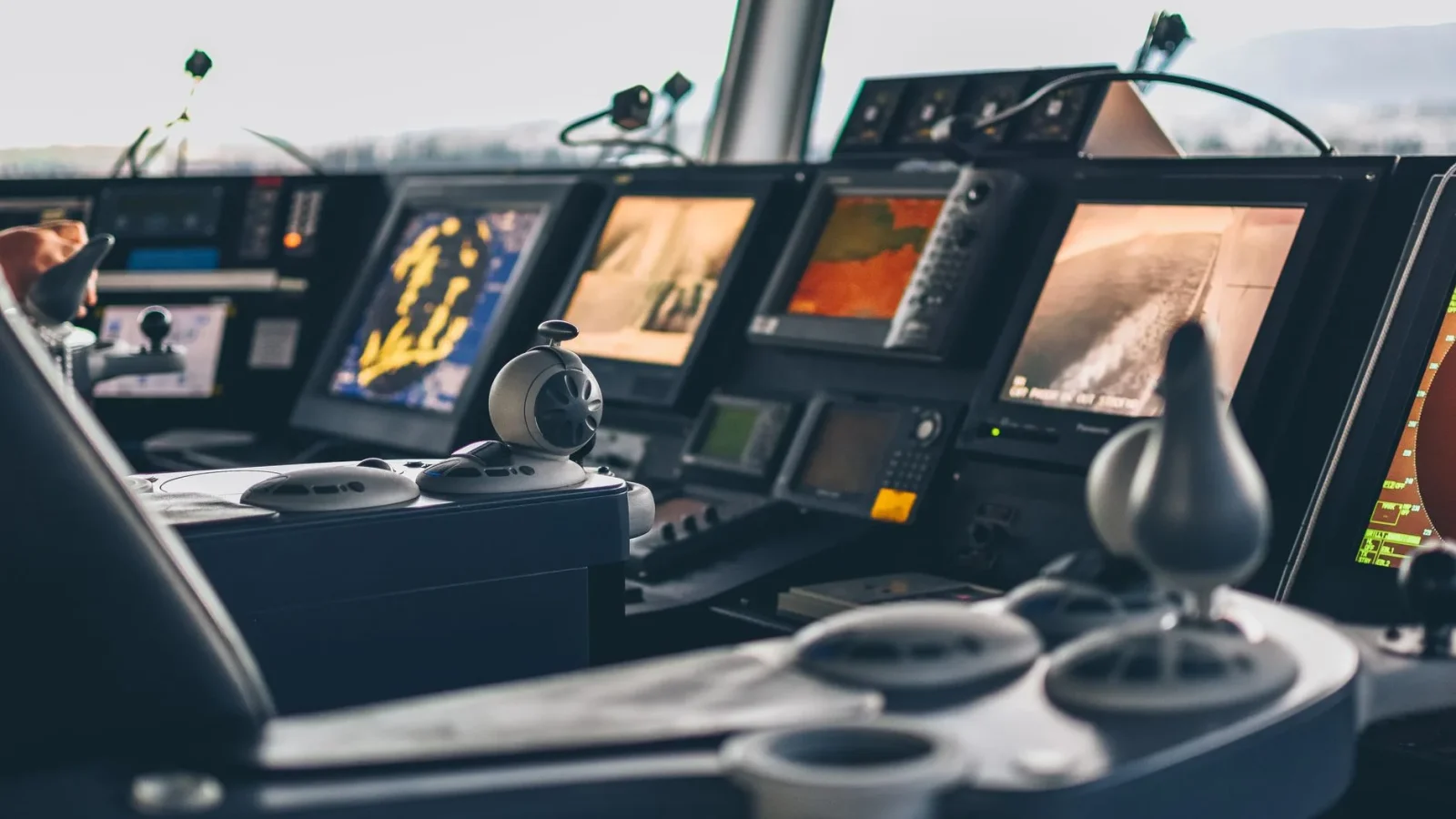
Walk any boat ramp on a Saturday and you’ll see two kinds of helm screens: one showing a nautical chart with a little boat icon crawling across it, and one showing a rainbow smear of fish arches and bottom contour. For years those were two separate boxes bolted to the dash. Now a single unit does both, and that combo is what most first-time buyers actually want, even if they don’t know the right name for it yet.
A chartplotter fish finder combo is one display that runs GPS charting and sonar at the same time, usually with a split screen. The question isn’t really “which one is better.” It’s which job you’ll lean on more, and how much screen and money you want to throw at it.
What each device actually does
A chartplotter is a GPS receiver married to electronic charts. It draws your position on a map, remembers waypoints, plots routes, and shows depth contours, buoys, and hazards. Think of it as a marine version of the navigation app on your phone, except it works offshore where cell service quits.
A fish finder is a sonar device. It fires a sound pulse straight down from a transducer (the sensor mounted on or through the hull), then times the echo bouncing back off the bottom and anything in between. That’s how it draws bottom depth, structure, and fish.
The two answer different questions. The chartplotter answers “where am I and where’s that rock.” The fish finder answers “what’s beneath me right now.” A combo just puts both answers on one piece of glass.
Why combos took over the ramp
Fifteen years ago, running both meant two head units, two power runs, and a cramped dash. Today a mid-size boat can carry one 9-inch combo, a single 10-gauge power feed, and a single transducer cable, and get everything a weekend crew needs.
Screen real estate is the trade you’re making. Split a 7-inch screen in half and each side feels small. That’s the core tension in this whole comparison, and it drives most of what follows.

Chartplotter vs fish finder combo: side by side
Here’s how the three options stack up for a typical trailer boat or small cruiser. Prices are for the head unit and a basic transducer, not a full multi-display network.
| Factor | Standalone chartplotter | Standalone fish finder | Combo unit |
|---|---|---|---|
| Main job | Navigation and routing | Sonar and structure | Both at once |
| Typical price | $300 to $900 | $150 to $800 | $400 to $1,200 |
| Screen used for sonar | None | Full screen | Half (split view) |
| Best for | Cruisers, sailors | Serious anglers | Most weekenders |
| Wiring runs needed | Power + GPS | Power + transducer | One of each |
| Typical current draw | 0.5 to 1.5 A | 0.7 to 2 A | 1 to 2.5 A |
Notice the current draw column. None of these are heavy hitters. A 9-inch combo pulling 2 amps at 12 volts is roughly 24 watts, less than a cabin light. You still want it on its own fused circuit, which I’ll come back to.
When a combo is the right call
For most people reading this, the combo wins, and it isn’t close. If you run a 16 to 24 foot boat, fish sometimes but not obsessively, and want to spend once and be done, a single combo covers it.
The math is simple. One unit, one hole cut in the dash, one power circuit, one transducer. Less to fail, less to wire, less to learn.
A boat I rewired last spring had a decade-old standalone plotter and a dead fish finder crammed side by side, fed by a rat’s nest of butt connectors behind the panel. We pulled both, dropped in one 9-inch combo, ran fresh 10-gauge to a labeled fuse block, and the owner got more usable screen than the two old units combined. That job took an afternoon instead of a full day.
The combo sweet spot by boat size
- 14 to 18 feet: A 7-inch combo, $400 to $650. Fine for lakes and protected inshore water.
- 18 to 24 feet: A 9-inch combo, $700 to $1,100. The range most weekend crews land in.
- 24 feet and up: A 10-inch or larger combo, or start thinking about networked displays if you fish hard.
When standalone units still win
Combos aren’t always right. There are two clear cases where separate boxes make more sense.
The first is the dedicated angler. If sonar is your reason for owning the boat, you want a full 9-inch or 12-inch screen showing nothing but bottom detail, not a half-screen you keep resizing. Tournament folks often run a big sonar-only unit plus a separate plotter, so both stay full-screen.
The second is the pure navigator. Sailors and cruisers who never fish get no value from sonar beyond a basic depth number. A standalone plotter (or even a multifunction display without a transducer) keeps things simpler and cheaper for them.
The part buyers forget: the transducer
Here’s the mistake I see most weekends. Someone spends $900 on a beautiful combo, then reads the bottom through a $40 transducer stuck on crooked, and wonders why the sonar looks fuzzy above 15 knots.
The head unit is only as good as the sensor feeding it. A transom-mount transducer that sits too high, too low, or angled wrong will lose the bottom the moment you get on plane. Getting placement right is genuinely half the battle, and it’s worth reading up on the transducer types and mounting before you drill a single hole.
If you fish structure and want crisp detail, look at units supporting CHIRP sonar. CHIRP sweeps a range of frequencies instead of pinging one, which separates fish from bottom far better than old single-frequency units. Most combos over about $500 now include it. There’s more on picking the right pairing in our guide on how to choose a fish finder.
Wiring and power, done once and done right
None of these units are power-hungry, but they hate dirty voltage. A combo that browns out or reboots underway almost always has a wiring problem, not a screen problem.
Run the head unit on its own circuit. For a screen up to about 10 inches, 12-gauge wire on a run under 15 feet is plenty; go to 10-gauge if the run is longer or you’re feeding a larger networked display. Protect it with the fuse the manufacturer specifies, usually 3 to 5 amps for a single combo.
The American Boat and Yacht Council publishes the wiring standards good installers follow, and their guidance on circuit protection and wire sizing is worth a read at abycinc.org. Do it their way and your electronics will still boot cleanly in year ten.
If you’re planning a bigger refit, don’t wire the electronics in isolation. Our marine electronics setup guide walks through laying out the whole helm so your combo, radio, and battery all play nicely. And if you’re adding a screen while upgrading power, a lithium boat battery upgrade gives you steadier voltage that these displays love.
My recommendation, with the honest caveats
For nine out of ten beginner-to-intermediate boaters, buy a combo. Get the biggest screen your dash and budget allow, in the 7-inch to 10-inch range, with CHIRP sonar and a decent transducer you’ll mount carefully. That single decision covers navigation and fishing for years.
The caveats are real, though. If you fish tournaments or spend serious time reading structure, split-screen will frustrate you, and two dedicated units are worth the extra dash space and dollars. If you never fish, skip the transducer entirely and buy a plain plotter.
One last piece of advice: whatever screen you pick, don’t let it be your only way to call for help. A combo tells you where you are, but a radio tells everyone else. Spend a weekend afternoon installing a marine VHF radio alongside it, and register your gear with the safety guidance over at BoatUS. A good combo makes the day easier. A radio and solid wiring are what get you home.
Frequently asked questions
Is a chartplotter fish finder combo worth it for a beginner?
For most beginners, yes. A single combo handles both navigation and sonar, needs only one power circuit and one dash cutout, and costs less than buying two separate units. The main trade-off is screen space, since split view shrinks each function, so buy the largest screen your dash and budget allow.
What size combo screen should I get?
For a 14 to 18 foot boat, a 7-inch screen works. For 18 to 24 feet, a 9-inch is the popular choice, and 24 feet and up suits a 10-inch or larger. Remember that a split screen halves the usable area, so err on the larger side.
Do I still need a separate transducer with a combo unit?
Yes. The combo is the display and processor, but it still needs a transducer mounted on or through the hull to read sonar. Placement is critical. A crooked or badly positioned transducer will lose the bottom once you get on plane, no matter how good the screen is.
How much power does a chartplotter fish finder combo draw?
Not much. A typical 9-inch combo pulls roughly 1 to 2.5 amps at 12 volts, around 24 watts, which is less than most cabin lights. Give it its own fused circuit, usually 3 to 5 amps, on 12-gauge or 10-gauge wire so it never shares a line with pumps or trim tabs.
When should I choose standalone units instead of a combo?
Choose standalone units in two cases. If you fish seriously and want a full screen dedicated to sonar detail, a separate fish finder plus a separate plotter keeps both full-size. If you never fish, a plain chartplotter without a transducer is simpler and cheaper.